
Your orders hold steady, but a sudden wave of sessions makes Shopify’s conversion rate fall. Before long, you are considering a discount, pausing an ad campaign or paying for a page redesign. If the extra visits never had buying intent, those changes cost margin and time without addressing the cause.
Fake traffic can lower your reported conversion rate when it adds non-buying sessions to the calculation. When that unwanted traffic repeatedly comes from a country you do not serve, ShieldLeaf gives you a practical response. You can block that country or redirect its visitors, rather than keep adjusting your store around traffic you never wanted.
How ten orders can look like a conversion problem
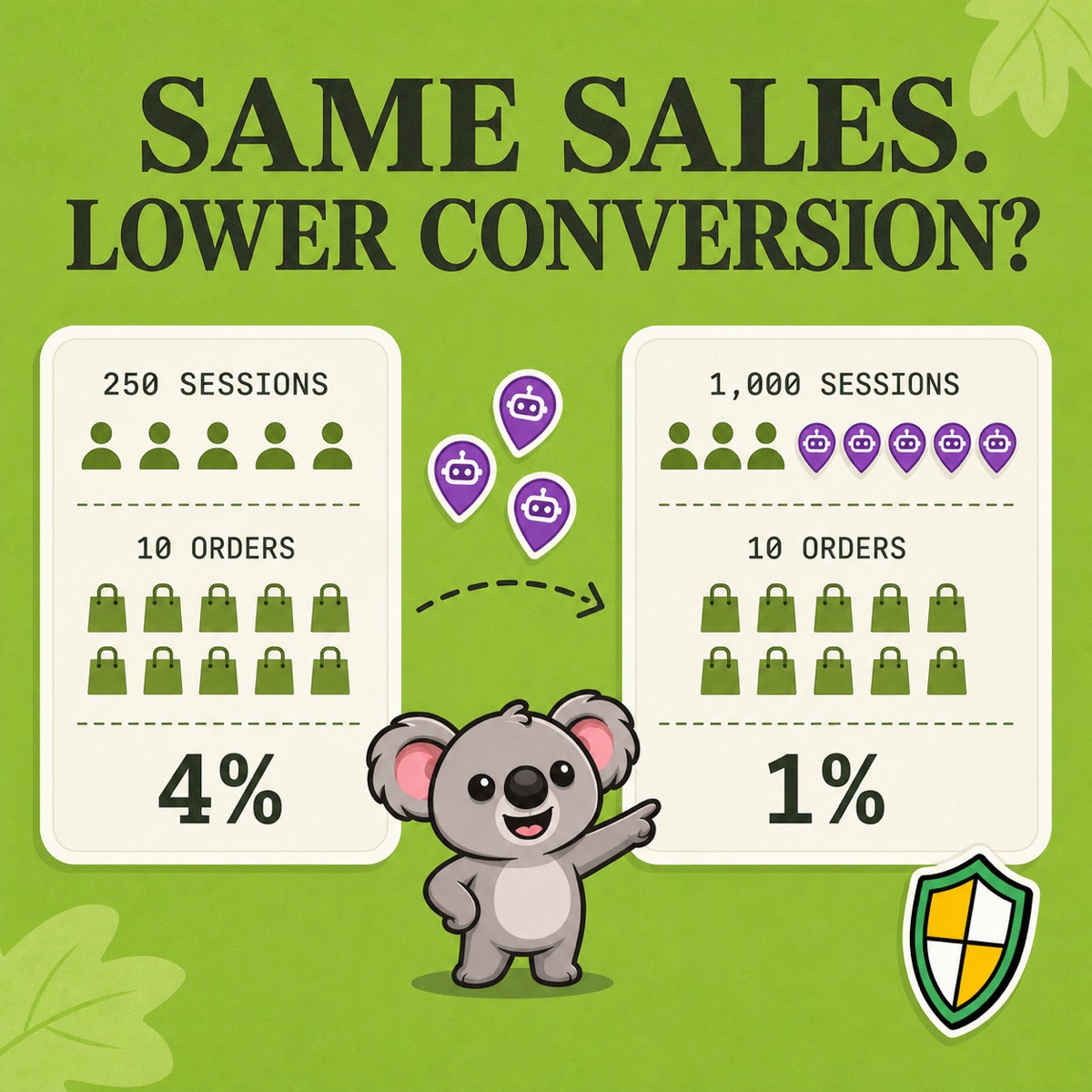
Imagine ten orders, each placed in a separate session. The same sales can produce very different rates.
| Report view | Result |
|---|---|
| Before the traffic spike | 250 sessions + 10 orders = 4% |
| After 750 non-buying sessions arrive | 1,000 sessions + 10 orders = 1% |
Nothing in this example says the original visitors became less interested. The same ten converting sessions are now divided by a much larger session count. Shopify measures the proportion of sessions that complete checkout, so use its reported conversion metric rather than dividing all store orders by online-store sessions.
There is an important detail in Shopify’s current bot-filtering guidance. Since the September 2026 update, identified bot sessions are excluded by default from session-related reports. The example applies when those extra sessions are included, such as an unfiltered view or traffic Shopify has not identified as bots. A falling rate alone does not prove fake traffic.
Find the pattern worth acting on
Suppose a UK-only store sees the extra sessions coming repeatedly from Canada, with no corresponding orders. Before applying a ShieldLeaf rule, confirm that Canada is outside your intended audience and check for campaigns, shared links or testing that explain the increase. Shopify’s bot activity guide helps distinguish these possibilities.
In Analytics → Reports, inspect the affected dates, country, referrer and landing page. Where supported, use Human or bot session to compare human and combined views. Compare orders and sales over equivalent periods too. If the human rate also falls, there is more to investigate than the added traffic.
Shopify’s native filtering has a clear weakness for this problem. It changes what a report includes but leaves unwanted storefront access untouched. Removing Canadian rows in a spreadsheet has the same limitation. ShieldLeaf closes that gap with a country rule you can preview before customers are affected.
Turn the Canadian pattern into a ShieldLeaf rule
For this example, the goal is to restrict Canadian access while keeping the UK shopping experience working normally.
- Open Protection in ShieldLeaf. Under Blocked countries, add Canada and check that Selected countries contains only the country you intend to restrict.
- Under Blocked visitor experience, choose Show a blocked-access page. Use Blocked message to explain that the store currently serves the UK. Visitors receive a clear explanation rather than an unexplained failure.
- Preview the experience privately. Check the message and the country selection before making the rule live.
- Enable the Shopify app embed and turn protection on. Verify the blocked page using a connection detected in Canada, then check that a UK connection can still browse and shop.
The setup uses app controls without editing theme code. You can handle one confirmed country problem without building or maintaining a custom script.
If you later appoint a Canadian distributor, choose redirect mode and enter its destination in Redirect URL. Preview and test again. The same rule can send visitors to a useful place instead of reopening access to the UK store.
Check access first, then compare conversion
Record when the rule went live. With Pro, review activity logs for recorded blocked visits. Compare equal-length periods before and after activation, keeping report filters and country scope consistent. A higher percentage after excluding non-buying sessions is a measurement change, not extra sales. Watch UK orders and revenue to judge commercial performance.
Country rules follow detected location and affect all visitors from that country. They do not classify every bot or erase previous sessions, and blocked visits can still appear in analytics. The useful result is a tested access rule for the recurring country pattern, not a promise that the dashboard will instantly return to 4%.
Start with the coverage you need
ShieldLeaf Free includes one active country, blocked-page or redirect mode and private preview. That covers the Canadian example at no subscription cost. Pro costs US$5.90 per month for unlimited countries, groups, presets and blocked-visit logs.
By comparison, Blocky’s listing reserves its free plan for development stores. Its monthly Basic plan costs US$9.99, while country redirects require the US$12.99 Advanced plan. For this focused country-access workflow, that is a higher monthly bill. ShieldLeaf lets a live store start free and expand for less on monthly billing.