
A useful Shopify payout reconciliation spreadsheet does more than place a bank deposit beside a payout. It preserves the source activity, records the exact match, and leaves enough evidence for someone else to review it next month.
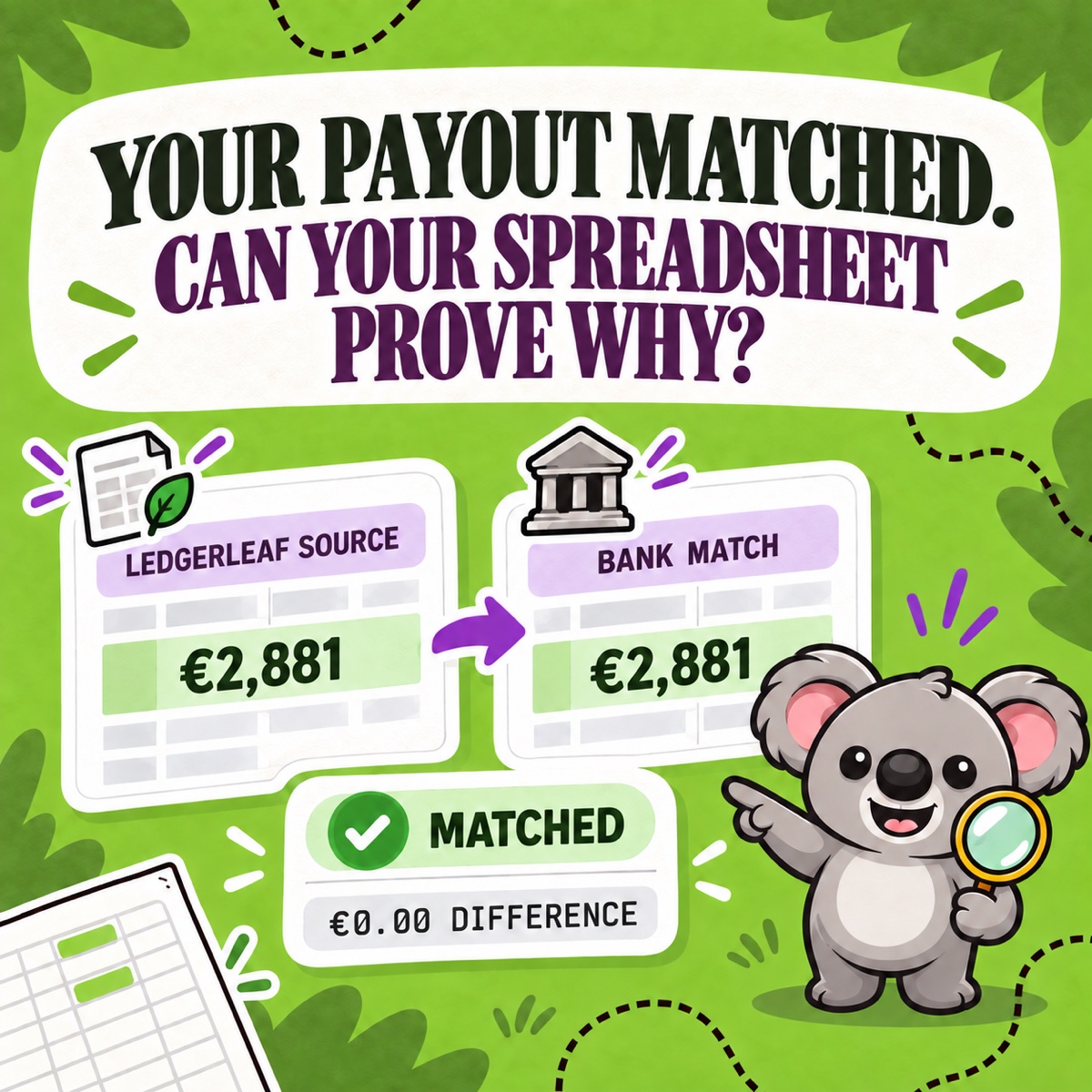
The simplest dependable structure is two tabs: an untouched LedgerLeaf Pro payout export and a one-row-per-payout bank-match sheet. The first explains the money; the second proves where it landed.
Leafy’s Quick Answer
Export the relevant Shopify Payments payout activity from LedgerLeaf Pro into a source tab. In a second tab, record one row for each deposited payout with its ID or reference, date, currency, LedgerLeaf payout amount, bank date, bank amount, difference, review status, and notes. Keep currencies separate and investigate every non-zero difference.
This is general bookkeeping information, not accounting or tax advice. Use the accounts, timing rules, and materiality policy agreed for your business.
Copy this payout-match template
Use these columns for the control tab:
| Column | What to record |
|---|---|
| Period | The month or close period being reviewed |
| Payout ID or reference | The identifier that ties the row back to the payout evidence |
| Payout date | The date attached to the Shopify Payments payout |
| Currency | One payout currency only per row |
| Status | Scheduled, Deposited, Failed, or another displayed status |
| LedgerLeaf payout amount | The net payout amount in the LedgerLeaf Pro report or export |
| Bank deposit date | The date the bank recorded the deposit |
| Bank deposit amount | The amount that reached the bank |
| Difference | Bank deposit amount minus LedgerLeaf payout amount |
| Review status | Matched, Timing, or Review |
| Transfer reference | The bank or payout reference when available |
| Notes and evidence | Exception explanation, source filename, and reviewer |
If the payout amount is in column F and the bank amount is in column H, a basic difference formula is =H2-F2. A simple flag can be =IF(ABS(I2)<0.01,"Matched","Review"), adjusted for your spreadsheet locale and review policy. Do not use a tolerance to hide a real difference.
Keep the LedgerLeaf source tab untouched
Do not paste over the source data with corrections. Export the payout activity from LedgerLeaf Pro for the period, place it in a tab such as LedgerLeaf payout source, and record the export date and currency. Then build the bank-match tab from that evidence.
This separation matters because a payout is a net cash movement, not a sales total. Shopify’s current payout-details guidance says a payout can include charges, refunds, adjustments, fees, reserves, and the transactions behind the amount. Its transaction export includes Amount, Fee, and Net fields. Shopify also notes that parts of the Payouts view are in early access, so labels and navigation can differ between stores.
LedgerLeaf Pro gives the template a repeatable Shopify-data layer: payout reporting and exportable payout data live in the same Shopify-admin workflow as the other bookkeeping records. The spreadsheet remains the control surface; LedgerLeaf keeps its source from becoming another file you reconstruct from memory.
Reconcile one payout in four checks
1. Confirm identity before amount
Match the payout ID or transfer reference, currency, destination account, and status. A nearby amount is not enough. Shopify says Deposited means the payout was sent to the bank, but the bank can still need processing time.
2. Match the bank deposit
Enter the bank date and amount, then calculate the difference. A zero difference closes the cash match. A missing deposit can remain Timing while the expected bank-processing window is still open; a failed payout or unexplained amount belongs in Review.
3. Trace exceptions to the source
When the difference is not zero—or the payout is unexpectedly low—return to the LedgerLeaf payout report and its underlying Shopify activity. Review refunds, fees, disputes, reserves, adjustments, currency, and pending items rather than changing the spreadsheet until it balances.
Shopify’s Finance reports documentation is explicit that the Shopify Payments activity report reflects movement through the payments balance, not revenue for accounting purposes. Keep the payout match separate from the sales entry.
4. Close the row with evidence
Record the source filename or report period, exception note, reviewer, and review date. Lock completed rows if several people use the workbook, and start a fresh period without deleting the prior trail.
Leafy’s Watch-Out
Never combine payout currencies in one formula. Reconcile each currency to its corresponding bank account or currency balance, then document any conversion separately.
The durable pattern is simple: LedgerLeaf supplies the repeatable payout evidence; the spreadsheet records the bank match and exceptions. That connection turns a blank template into a monthly control you can actually reuse.
Use LedgerLeaf Pro payout reports for your next reconciliation.